Home › OmegaOffice › Android
📱

OmegaOffice for Android
Write · Grid · Present · PDF

Create and edit documents, spreadsheets and presentations and sign PDF files on your phone or tablet — the same OmegaOffice editors as on Windows, in one app.

📱 Download for Android (APK) Buy a license
Android 7.0+Version 1.3.07-day free trialOpens .docx · .xlsx · .pptx · .pdf
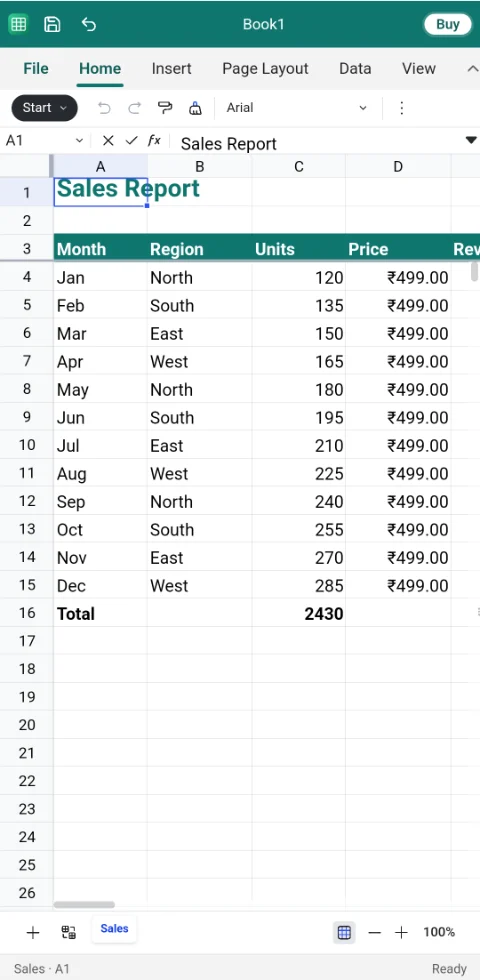
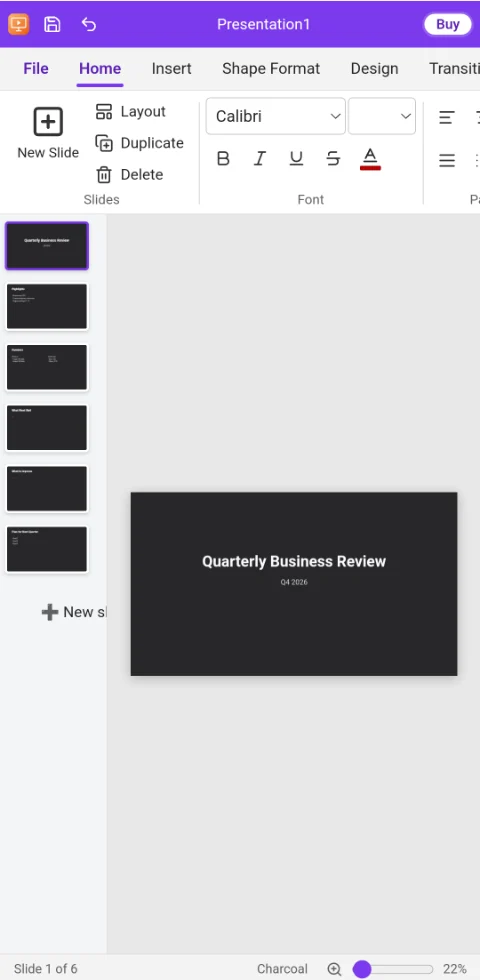
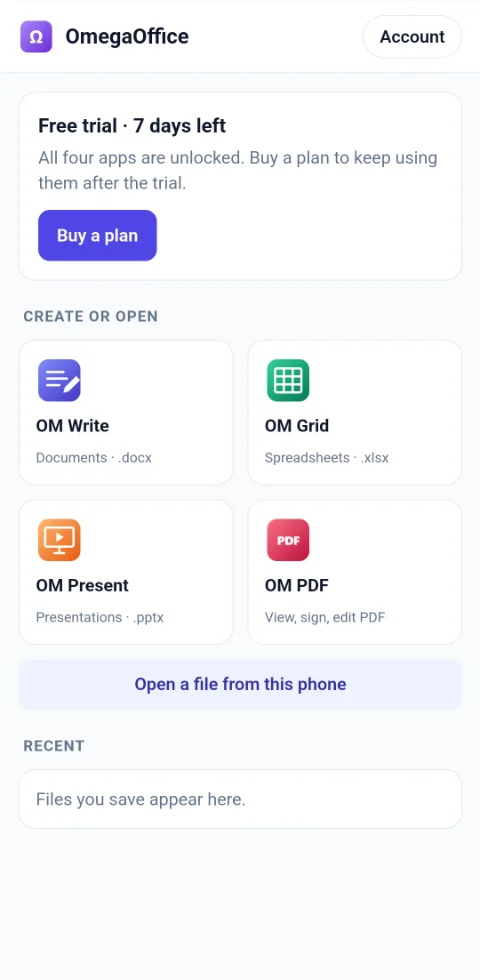
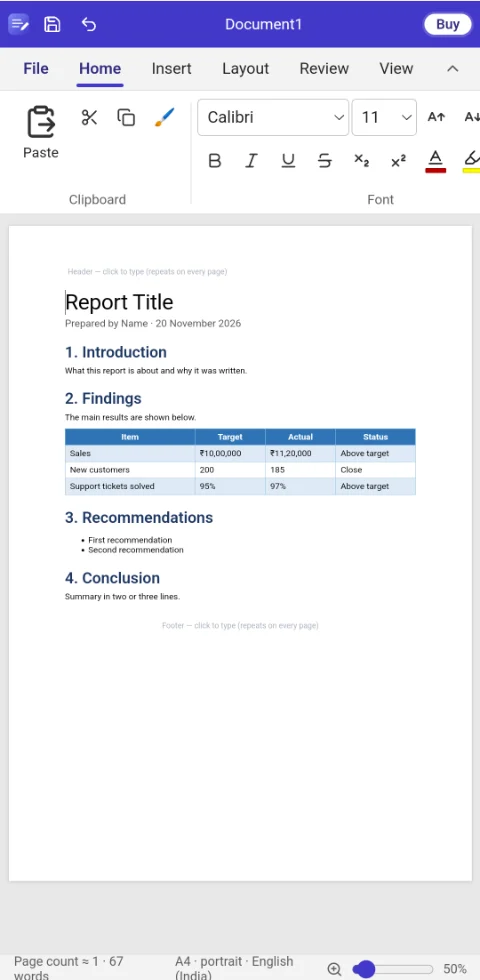
OmegaOffice for Android — homeOmegaOffice for Android — writeOmegaOffice for Android — gridOmegaOffice for Android — present

What you get

All four apps in one

  • OM Write, OM Grid, OM Present and OM PDF in one app
  • Layout made for phones and tablets; turn the screen any way
  • The same editors as the Windows app: tables with styles, header and footer, page numbers, 25 templates, 400+ formulas, charts, animations, slide show and PDF signing

Your files

  • Open .docx, .xlsx, .pptx, .pdf, .csv, .rtf and .txt files from WhatsApp, Gmail, Drive or any file manager with “Open with” or Share
  • Saved in Documents › OmegaOffice — share them to WhatsApp, Gmail or Drive in one tap
  • Print, or save as PDF, with the Android print service
  • Recent files on the home screen
  • Files stay on your phone — nothing is uploaded

License

  • 7-day free trial with your email — every feature
  • Use an OmegaOffice license key (1 key = 1 device)
  • Works offline; the license is checked online at least once every 7 days
  • The app tells you when a new version is available

Requirements

AndroidAndroid 7.0 or newer, phones and tablets
DownloadAbout 7 MB (APK)
StorageFiles are saved in Documents › OmegaOffice
InternetFor the trial, activation and the license check every 7 days

Install in 3 steps

  1. Tap Download for Android on this page.
  2. Open the downloaded file and tap Install. If Android asks, allow your browser to install apps.
  3. Open OmegaOffice and start the free trial with your email — or enter your license key.

Next time, open OmegaOffice from its app icon (app list or Home screen) — not from the downloaded file, which would only install it again. The app offers to put its icon on your Home screen.

Prices

The OmegaOffice Suite license unlocks all four apps on your phone

ProductMonthlyQuarterlyYearly
OmegaOffice Suite — OM Write, OM Grid, OM Present & OM PDF₹299₹849₹2,999Buy

Prices in Indian Rupees, including all charges. No automatic renewal.

Questions

How do I install the APK?

Tap “Download for Android”, open the downloaded file and tap Install. If Android asks, allow your browser to install apps (Settings › Install unknown apps). Then open OmegaOffice and start the free trial.

The app asks to install again when I open it

You are opening the downloaded APK file again. The app is already installed: open OmegaOffice from its icon (it is in the app list — swipe up on the Home screen). The app offers to add its icon to your Home screen; you can also add it under Account › Add OmegaOffice to Home screen. You can delete the APK file after installing.

Is the APK safe?

It is signed by OmegaAPI Pvt Ltd and downloaded from omegaapi.in over HTTPS. The app only asks for storage access on Android 9 and older, to save your files.

Can I use my Windows license on the phone?

One license key works on one device. Buy a second plan for the phone, or move the key: contact support with your order ID.

Which files can it open?

Documents (.docx, .rtf, .md, .txt), spreadsheets (.xlsx, .csv), presentations (.pptx) and PDF files — from any app that offers “Open with” or Share.

Do I need the internet?

Only to start the trial, activate a key, and once every 7 days for the license check. Writing, editing and saving work offline.
The apps